
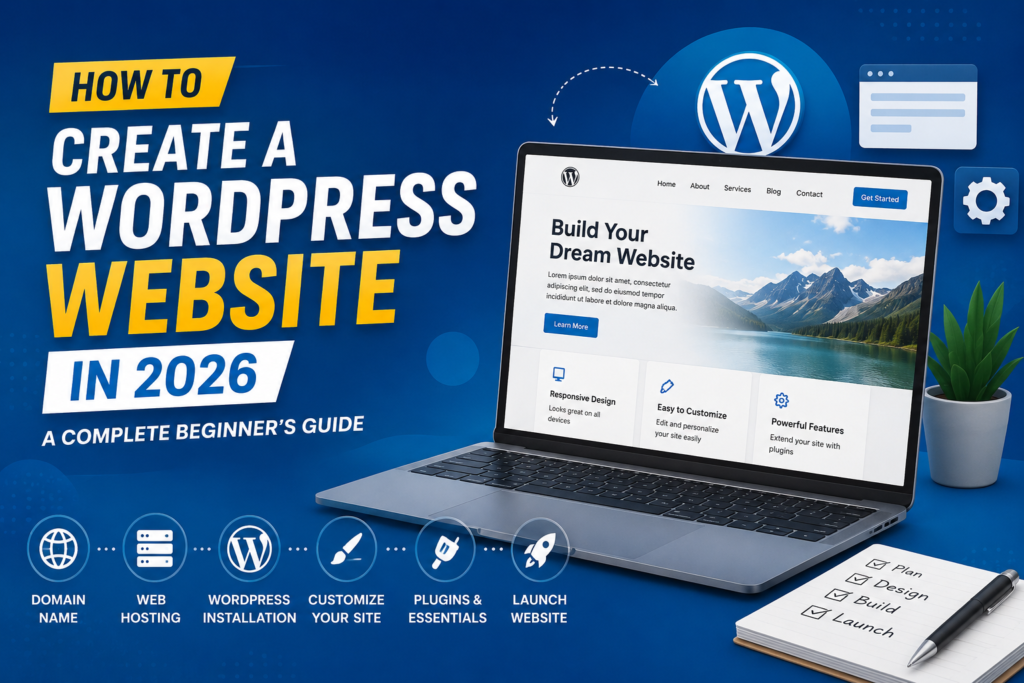
Build a Professional Website Without Coding – Step-by-Step Instructions for Beginners
Introduction
In today’s digital world, having a website is no longer optional—it’s essential. Whether you’re a business owner, freelancer, blogger, or entrepreneur, a website helps you establish credibility, reach a wider audience, and grow your brand online.
The good news? You don’t need to be a web developer to create a professional website. Thanks to WordPress, anyone can build a stunning and functional website with little to no technical knowledge.
WordPress powers millions of websites worldwide because it’s flexible, user-friendly, and highly customizable. In this complete beginner’s guide, you’ll learn exactly how to create a WordPress website in 2026, from choosing a domain name to launching your site successfully.
Why Choose WordPress in 2026?
Before diving into the setup process, let’s understand why WordPress remains the most popular website-building platform.
Key Benefits of WordPress
- Beginner-friendly interface
- Thousands of free and premium themes
- Extensive plugin ecosystem
- SEO-friendly structure
- Mobile-responsive designs
- Scalable for businesses of all sizes
- Strong security and regular updates
Whether you’re creating a personal blog, business website, portfolio, or eCommerce store, WordPress provides all the tools you need.
Step 1: Choose a Domain Name
Your domain name is your website’s online address. It’s how visitors will find your website on the internet.
Tips for Choosing the Perfect Domain Name
- Keep it short and memorable
- Use relevant keywords when possible
- Avoid numbers and hyphens
- Make it easy to spell and pronounce
- Prefer a .com extension if available
For example:
- yourbusiness.com
- travelwithjohn.com
- digitalmarketingpro.com
A strong domain name helps establish your online identity and improves brand recognition.
Step 2: Select a Reliable Web Hosting Provider
Web hosting stores your website files and makes them accessible online.
When selecting a hosting provider, consider:
What to Look for in Hosting
- Fast loading speed
- High uptime guarantee
- Strong security features
- Daily backups
- Responsive customer support
- Easy WordPress installation
Many hosting providers now offer one-click WordPress installation, making the setup process extremely simple for beginners.
Step 3: Install WordPress
Most hosting companies provide a one-click WordPress installer.
Installation Process
- Log into your hosting account.
- Locate the WordPress installer.
- Select your domain name.
- Create an admin username and password.
- Click Install.
Within minutes, your WordPress website will be ready.
You can access your dashboard through:
yourdomain.com/wp-admin
The dashboard is your website’s control center where you’ll manage content, themes, plugins, and settings.
Step 4: Choose and Install a WordPress Theme
A WordPress theme determines the appearance and layout of your website.
How to Install a Theme
- Navigate to Appearance → Themes.
- Click Add New.
- Browse available themes.
- Click Install.
- Click Activate.
What Makes a Good Theme?
- Mobile responsive
- Fast loading
- SEO-friendly
- Easy customization
- Regular updates
Choose a theme that aligns with your website goals and brand identity.
Step 5: Customize Your Website Design
After activating a theme, it’s time to personalize your website.
Customize Key Elements
- Upload your logo
- Set brand colors
- Choose typography
- Create navigation menus
- Configure homepage settings
- Add social media links
Go to Appearance → Customize to make these changes.
Remember, a clean and professional design creates a better user experience and builds trust with visitors.
Step 6: Install Essential WordPress Plugins
Plugins add extra functionality to your website without requiring coding.
Must-Have Plugins for Beginners
SEO Plugin
Helps optimize your content for search engines and improve rankings.
Security Plugin
Protects your website from hackers, malware, and unauthorized access.
Backup Plugin
Creates regular backups so your data remains safe.
Contact Form Plugin
Allows visitors to contact you directly through your website.
Performance Plugin
Improves page speed and overall user experience.
Avoid installing unnecessary plugins, as too many can slow down your website.
Step 7: Create Important Website Pages
Every professional website should include essential pages.
Home Page
Introduces visitors to your brand and services.
About Page
Shares your story, mission, and expertise.
Services or Products Page
Highlights what you offer.
Contact Page
Provides visitors with ways to reach you.
Privacy Policy Page
Explains how user information is collected and used.
These pages help establish trust and improve user experience.
Step 8: Publish Your First Blog Post
Content is one of the most effective ways to attract visitors and improve SEO.
How to Create a Blog Post
- Go to Posts → Add New.
- Add a compelling title.
- Write valuable content.
- Insert relevant images.
- Optimize for SEO.
- Click Publish.
Focus on solving your audience’s problems and providing useful information.
Consistent publishing can significantly increase your website traffic over time.
Step 9: Optimize Your Website for SEO
Search Engine Optimization (SEO) helps your website rank higher in search results.
Basic SEO Best Practices
- Use relevant keywords naturally
- Create engaging titles
- Write compelling meta descriptions
- Optimize images
- Use internal links
- Improve page speed
- Publish quality content regularly
Good SEO increases visibility, organic traffic, and business opportunities.
Step 10: Secure and Maintain Your Website
Launching your website is only the beginning.
Ongoing Website Maintenance Tasks
- Update WordPress regularly
- Update themes and plugins
- Monitor security issues
- Backup your website frequently
- Check for broken links
- Optimize database performance
Regular maintenance ensures your website remains secure, fast, and reliable.
Common Mistakes Beginners Should Avoid
Many new website owners make avoidable mistakes.
Avoid These Errors
- Choosing a poor-quality hosting provider
- Installing too many plugins
- Ignoring SEO
- Neglecting website backups
- Using weak passwords
- Publishing low-quality content
Avoiding these mistakes will save time, money, and frustration.
Conclusion
Creating a WordPress website in 2026 is easier than ever before. With the right domain name, reliable hosting, a professional theme, and essential plugins, you can build a fully functional website without writing a single line of code.
Whether you’re starting a blog, launching a business website, or building an online store, WordPress offers the flexibility and tools needed for long-term success.
The key is to start simple, focus on user experience, publish valuable content, and continuously improve your website over time. By following the steps outlined in this guide, you’ll be well on your way to creating a professional online presence that helps you achieve your goals.
Frequently Asked Questions (FAQs)
1. Is WordPress free to use?
Yes. WordPress software is free to download and use. However, you’ll need to pay for a domain name and web hosting to make your website accessible online.
2. Do I need coding skills to create a WordPress website?
No. WordPress is designed for beginners and allows you to build and manage websites without coding knowledge.
3. How much does it cost to create a WordPress website?
A basic WordPress website can cost anywhere from $30 to $150 per year, depending on your hosting provider, domain name, and premium tools.
4. How long does it take to build a WordPress website?
A simple website can be created in a few hours. More advanced websites with custom features may take several days or weeks.
5. Can I make money with a WordPress website?
Absolutely. Many people earn money through blogging, affiliate marketing, selling products, offering services, online courses, and advertising on their WordPress websites.